
Innovating Mobile POS for Smarter Payments and Ordering in SEA
Alipay+ D-store's tablet POS helps brick-and-mortar stores manage daily transactions. However, a significant gap remains for small and micro businesses that require a more compact and straightforward solution. These businesses need a POS system that mirrors the simplicity of traditional cash registers while providing the benefits of digital record-keeping.
After launching the D-store Tablet POS for chain store merchants in Q2 2024, we identified a large segment of merchants unwilling to adopt a tablet-based system due to its complexity and cost. According to our 2023 F&B industry study in Southeast Asia, 33.2% of merchants did not need a tablet POS because their operations rely on simple, fast-paced workflows better suited to a mobile POS.
This case study highlights the design and development of new ordering modes for the D-store Mobile POS, catering specifically to the operational needs of small and micro businesses.
Opportunity
Through research and merchant feedback, we recognized that many businesses prefer the familiarity and simplicity of traditional cash registers. They favor systems that require minimal setup and enable quick order inputs without complex item customization.
Our goal was to design a mobile POS with ordering modes inspired by traditional workflows, improving adoption by replicating the efficiency of cash registers while offering digital advantages.
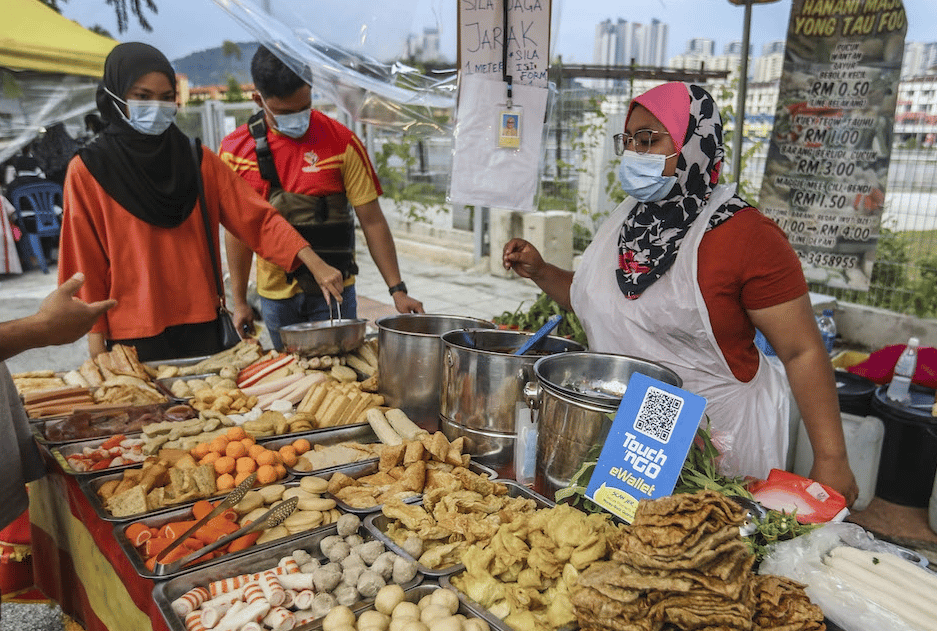
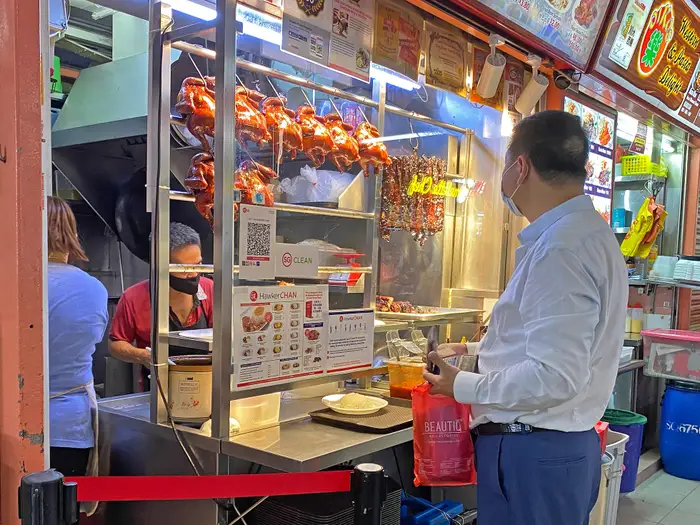
Scene of typical food stalls in SEA region
Problem statement
How might we design a mobile POS system that mirrors the simplicity and speed of traditional cash registers while offering the flexibility of digital tools to meet the diverse needs of small and micro businesses?
Project scope
This initiative was conducted concurrently with the enhancement of tablet POS features to mobile POS, meaning new ordering features of mobile POS had to fit within the same timeline. We focused on these goals while building the new features for mobile POS:

Digitize cash registers with easy product and amount input.
Ensure seamless onboarding for small and micro businesses.
Provide flexible ordering modes to accommodate diverse business workflows.
Challenges

1
Balancing Simplicity with Flexibility

1
Designing a mobile POS that mirrors the ease of traditional cash registers while accommodating diverse ordering methods (menu, code, and open item) without overwhelming users required careful consideration of interface
2
Optimizing for Small Screens
1
With mobile devices offering limited screen space, ensuring an intuitive and error-free experience for alphanumeric input and manual calculations required innovative layout designs and dynamic interfaces.
3
Driving Adoption Through Familiarity
1
Overcoming merchant resistance to digital tools meant designing features that mimic familiar workflows (e.g., calculators and numpads) while ensuring the transition from manual processes felt seamless and required minimal retraining.
Research
Interview sessions were done in Malaysia and Singapore SME merchants, focusing the user group to be hawker store owners and operators. During the week of interviews, we interviewed 12 merchants.
Our goals are:
Understand ordering setup of SME merchants
Interaction between merchants and customers for ordering and food collection/serving
Operational landscape of shops/stalls
Key learnings:

Traditional cash registers remain popular because they offer 1-time setup, fast ordering, and flexibility
Merchants using cash registers can record customer orders with just 2 taps
Cash registers’ low learning curve ensures staff can operate them with little training
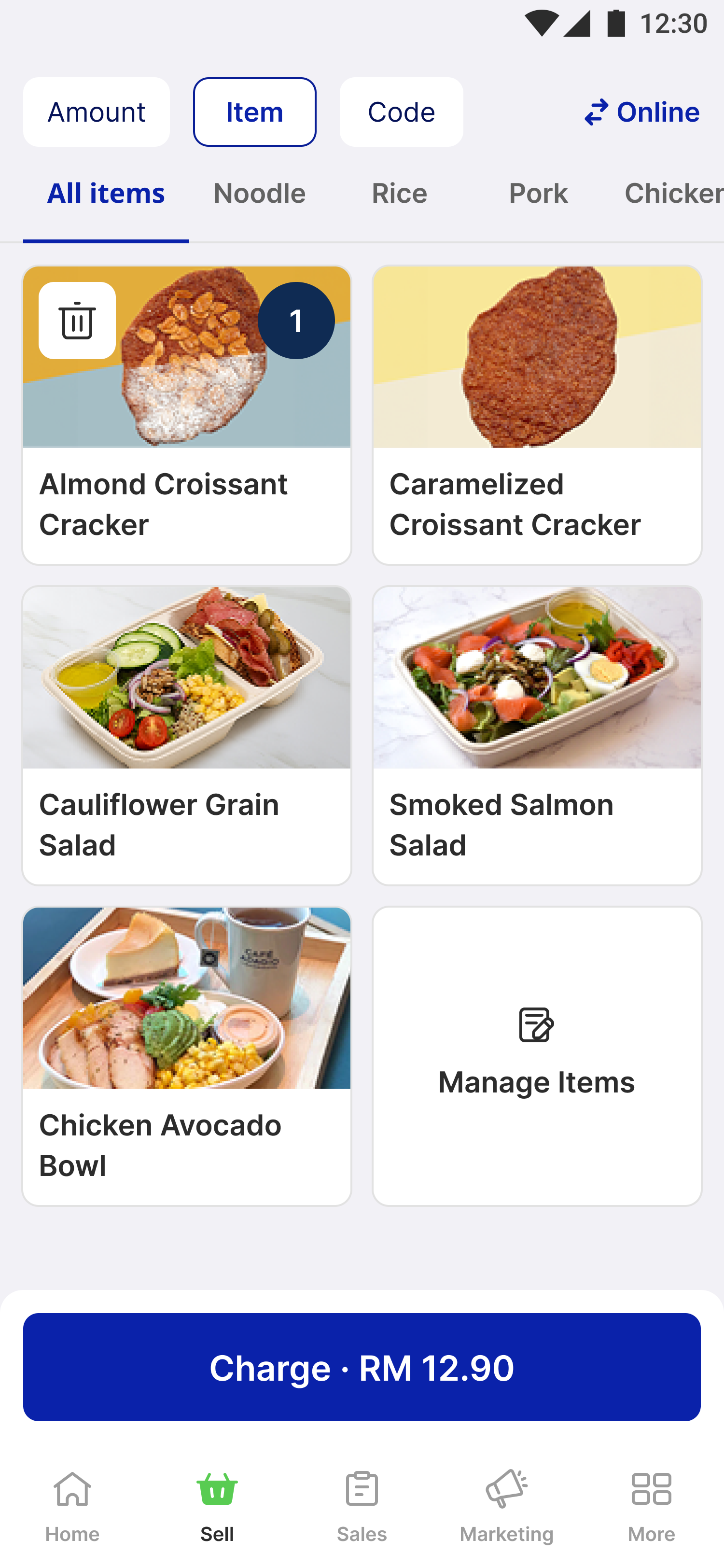
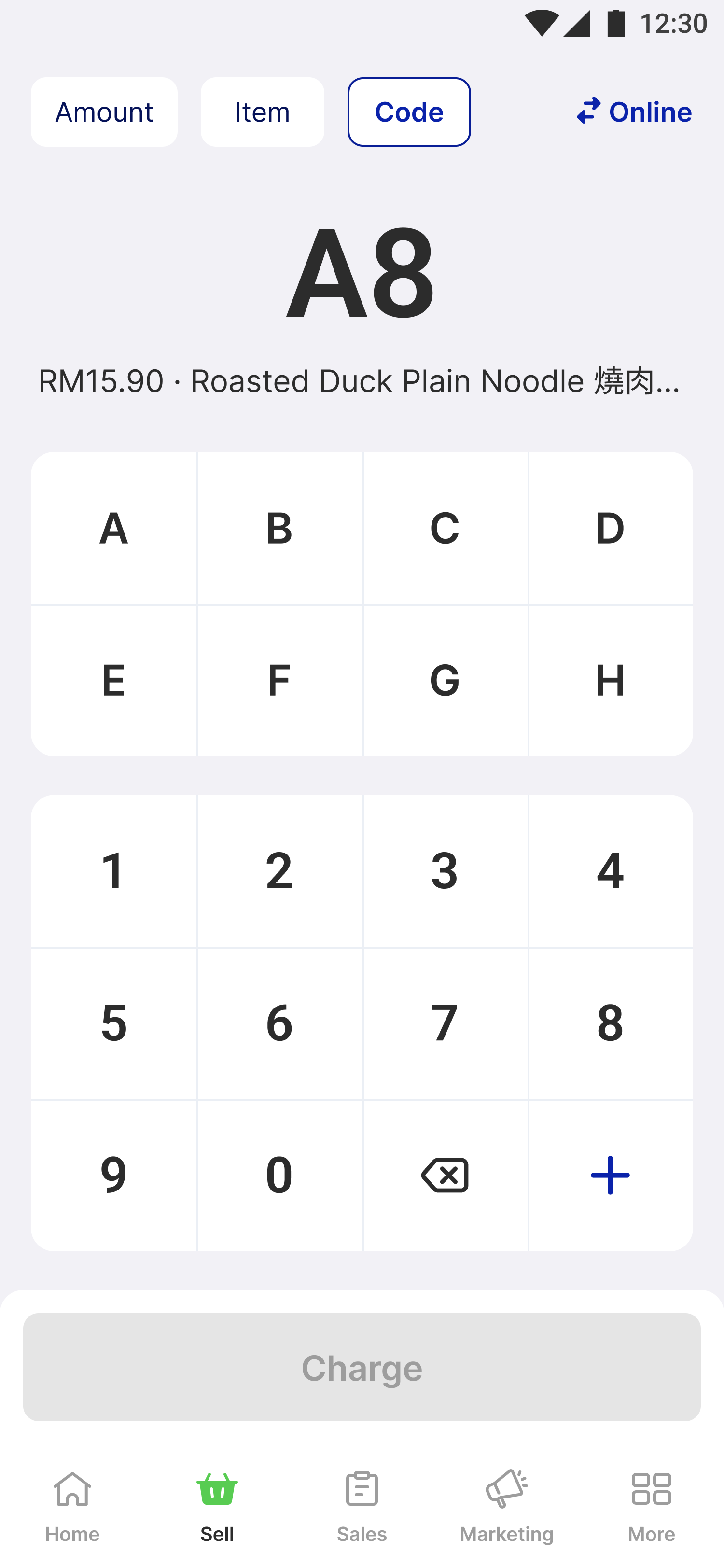
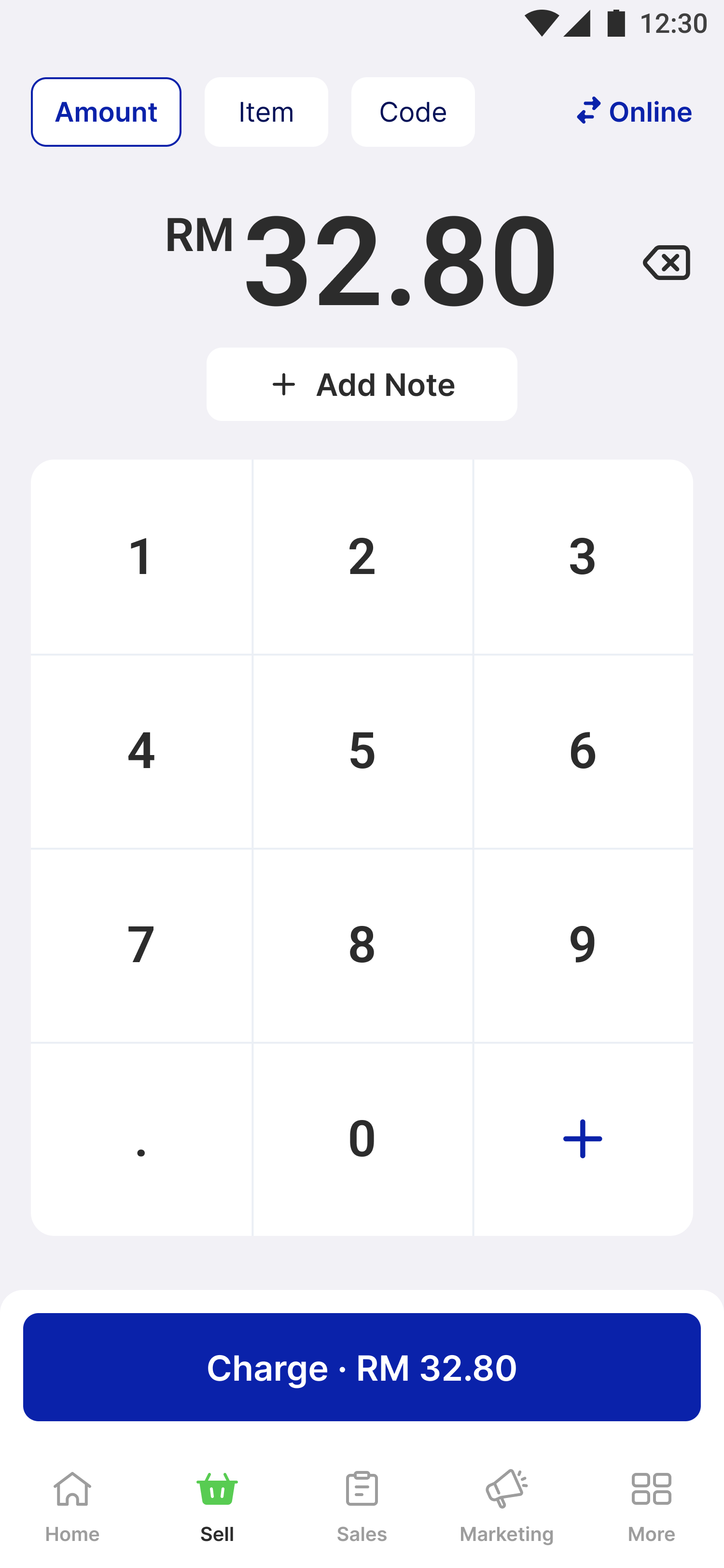
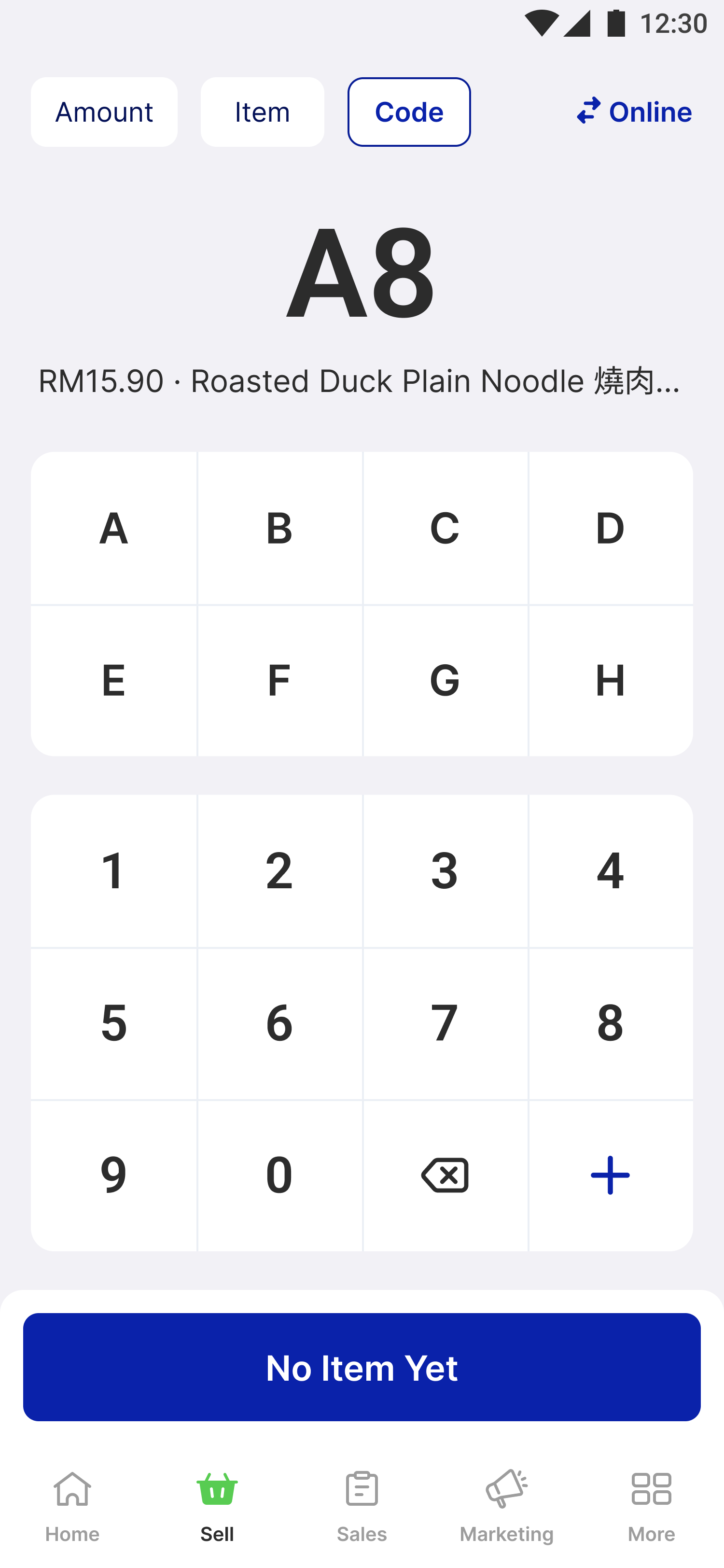
Order by preset codes for items
CODE
Order by multiple open items
AMOUNT
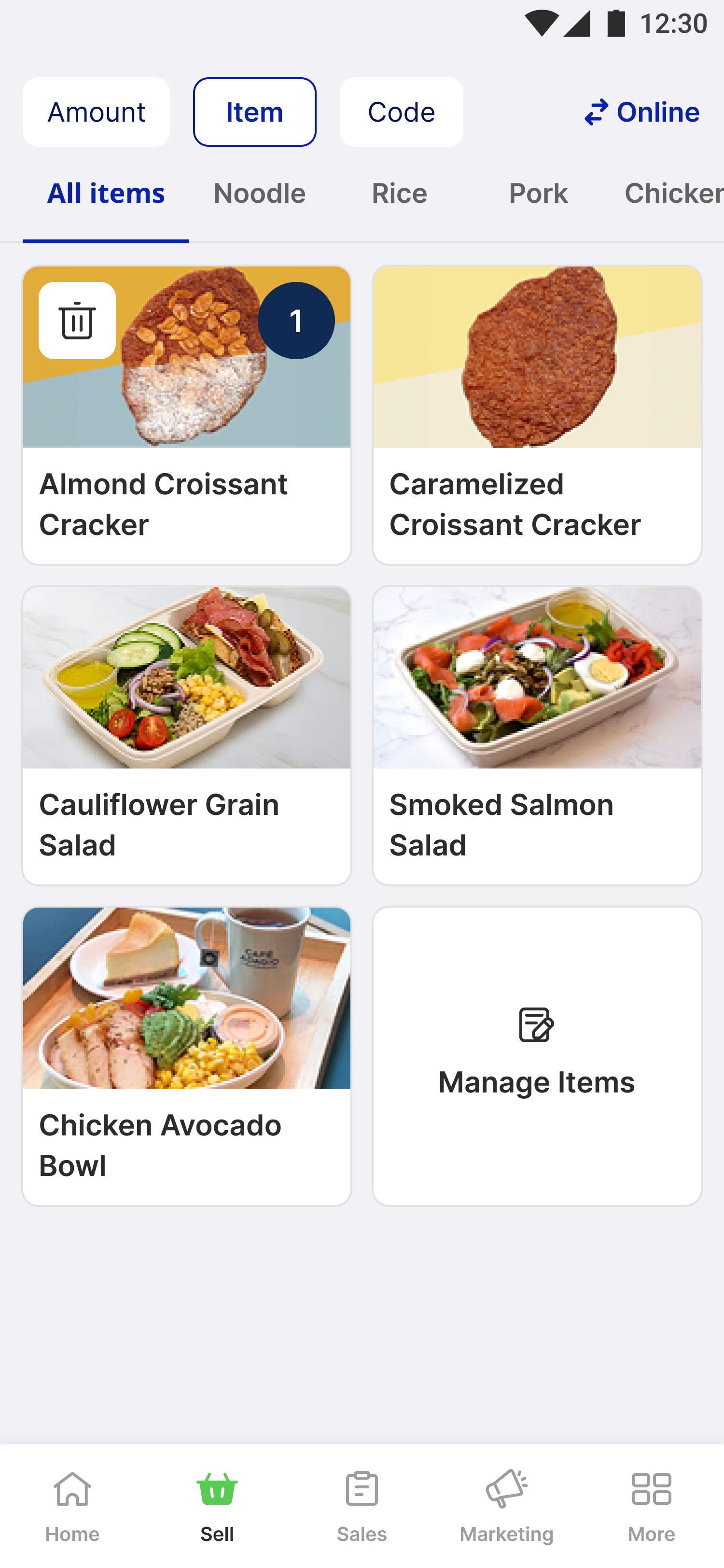
Order by menu items set up from backoffice
ITEM
Three ordering modes incorporated in mobile POS
Common ordering methodsDuring our research as well, we have identified three primary ordering methods:
1
Menu ordering
1
Used by larger businesses with extensive menus, requiring item images and complex customizations.
2
Code ordering
1
Preferred by small-to-medium merchants with fixed menus, where cashiers input orders using alphanumeric item codes.
3
Open item ordering
1
Common for small, family-run shops that input amounts manually, resembling a basic calculator.
While the Menu Ordering mode is also available on the D-store Mobile POS, this case study focuses on the newly developed Code Ordering and Open Item modes, which were specifically designed to address the unique needs of small and micro businesses.
Merchants operating in high-volume environments (e.g., lunch rush) prioritize speed—an order typically takes 1-2 minutes from input to fulfillment.
Key insights

Speed is crucial
Ordering must be completed in 1-2 minutes.
Merchants need flexibility
Different businesses require different input methods (menu, code, or open item).
Minimize complexity
Solutions should resemble familiar tools like calculators and cash registers to reduce training time.
Design approach
To address these gaps, our design centered on three principles:
🌊
Flexibility & Modularity
Allow merchants to adapt the POS to their operational needs.
🚀
Efficiency
Optimize workflows for speed and accuracy during high-demand periods.
🎢
Low Learning Curve
Ensure the system is intuitive, requiring minimal staff training.
Design proposition
Code ordering mode
We introduced a code-based ordering system tailored for businesses with a fixed menu. This mode enables cashiers to input item codes quickly while minimizing errors.
1
Alphanumeric flexibility
1
Supports up to 8 letters, accommodating diverse menus without compromising accuracy.
2
Optimized for mobile
1
Dynamic layouts balance limited screen space while ensuring comfortable tap areas.
3
Error prevention
1
Displays item names upon input to reduce mistakes and confirm selections.
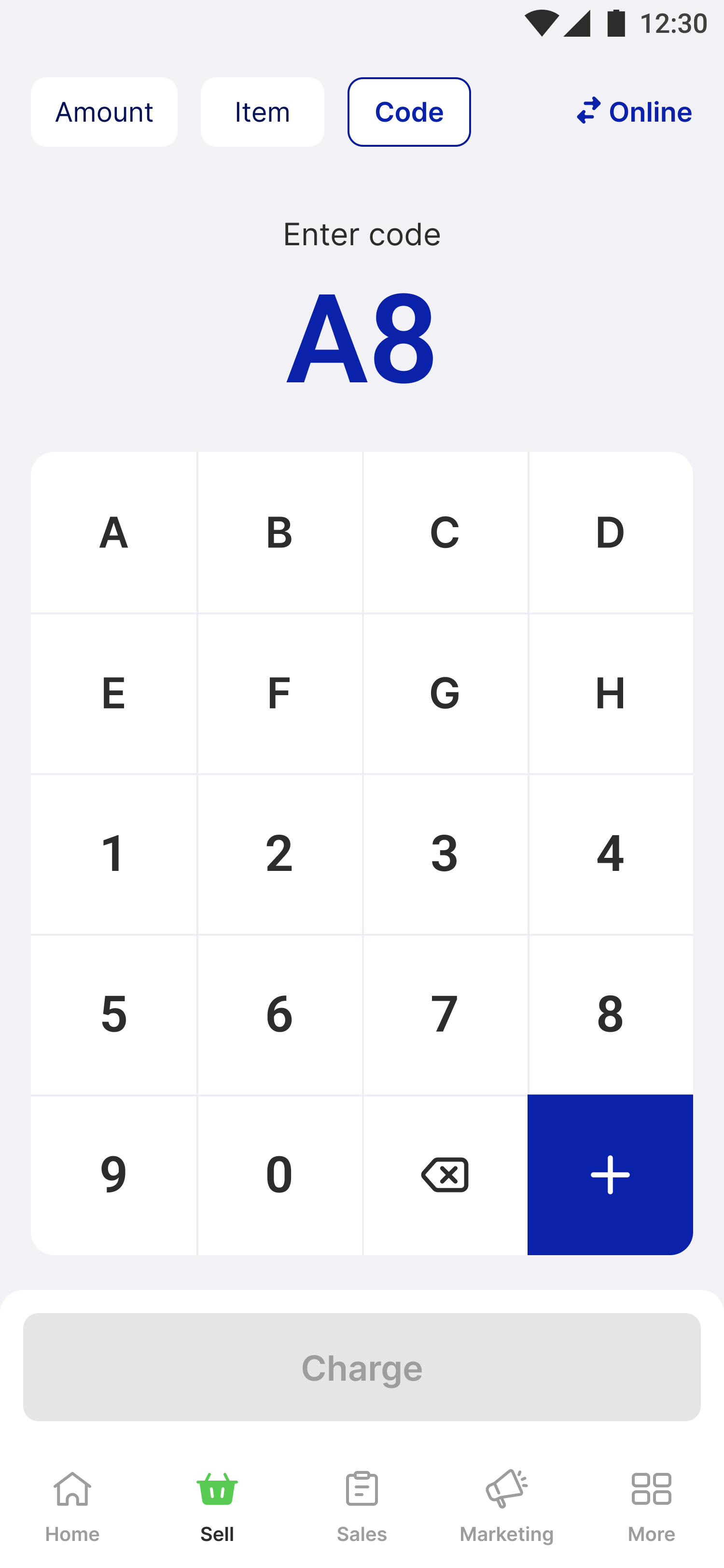
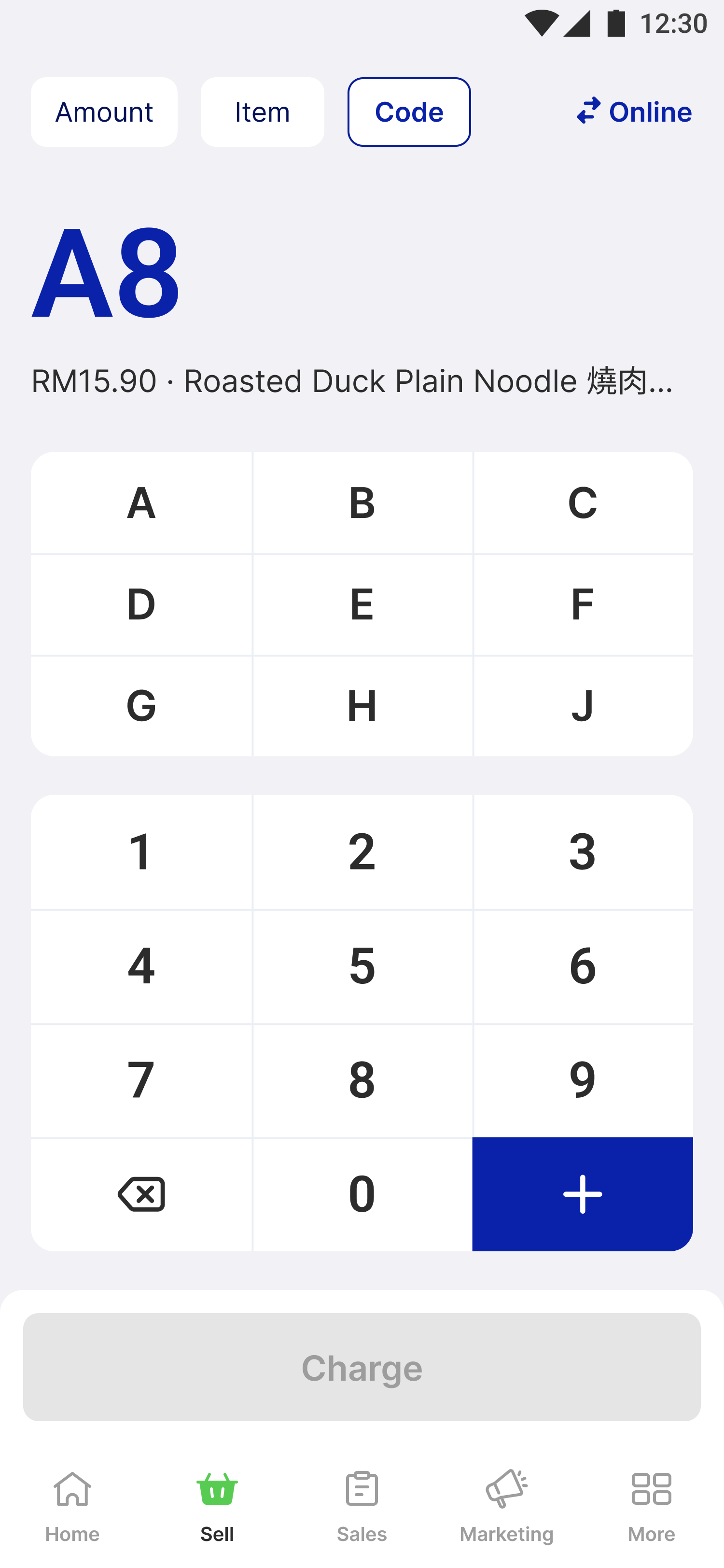
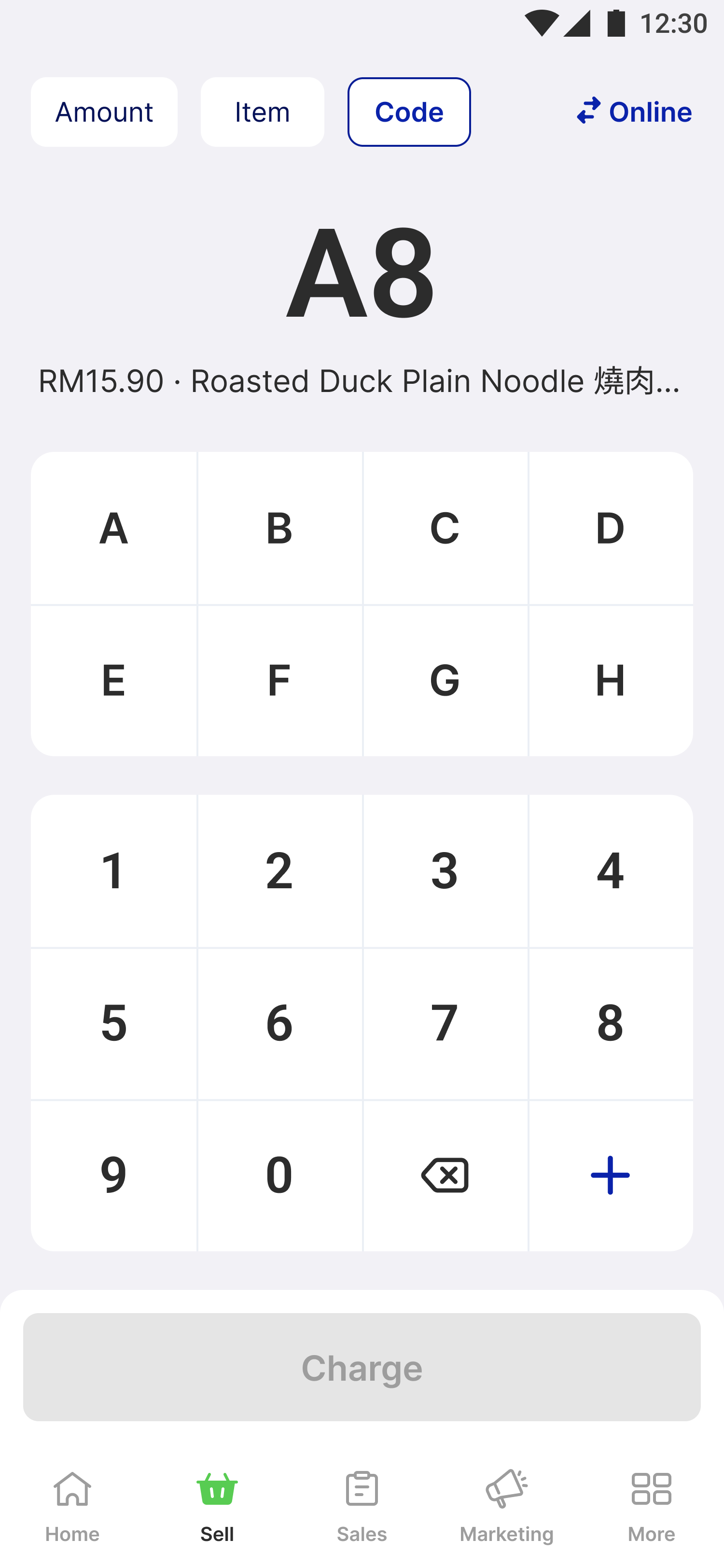
Fonts have the same hierarchy for different functionality
DESIGN #1
Started to incorporate item name validation and segregation of alphabets & numbers
DESIGN #2
Changed the layout of keypad for more breathing space & font for better hierarchy
FINAL DESIGN
Design exploration of code ordering
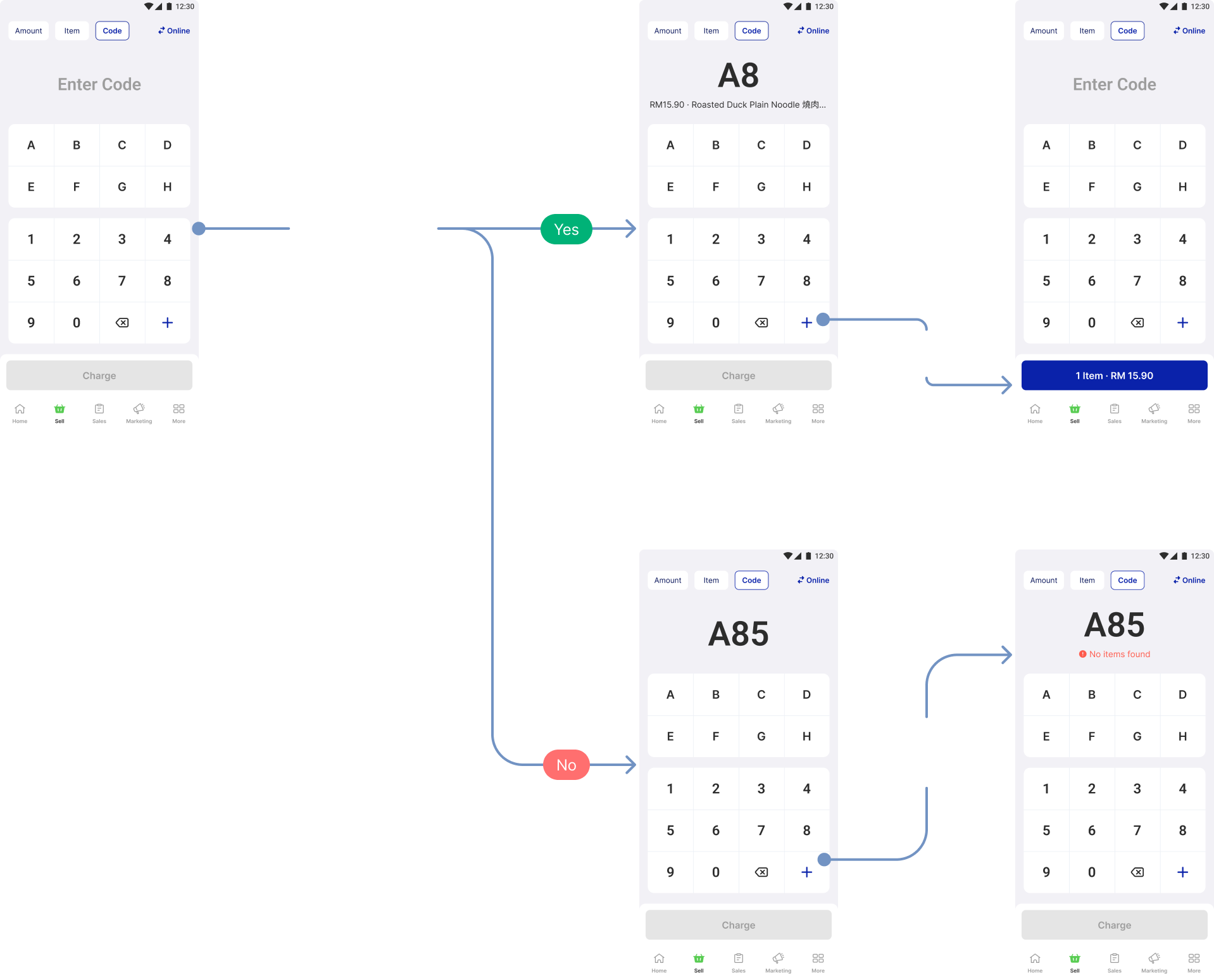
How item validation works for code ordering
Open Item (Calculator) Mode
We designed a calculator-inspired interface for merchants who prefer manual price entry without needing inventory tracking.Why this design?
1
Familiar interface
1
Mirrors basic calculator functionality for instant familiarity.
2
Input accuracy
1
Allows users to view and review formulas during entry.
3
Enhanced flexibility
1
Users can add notes to track special requests if needed.
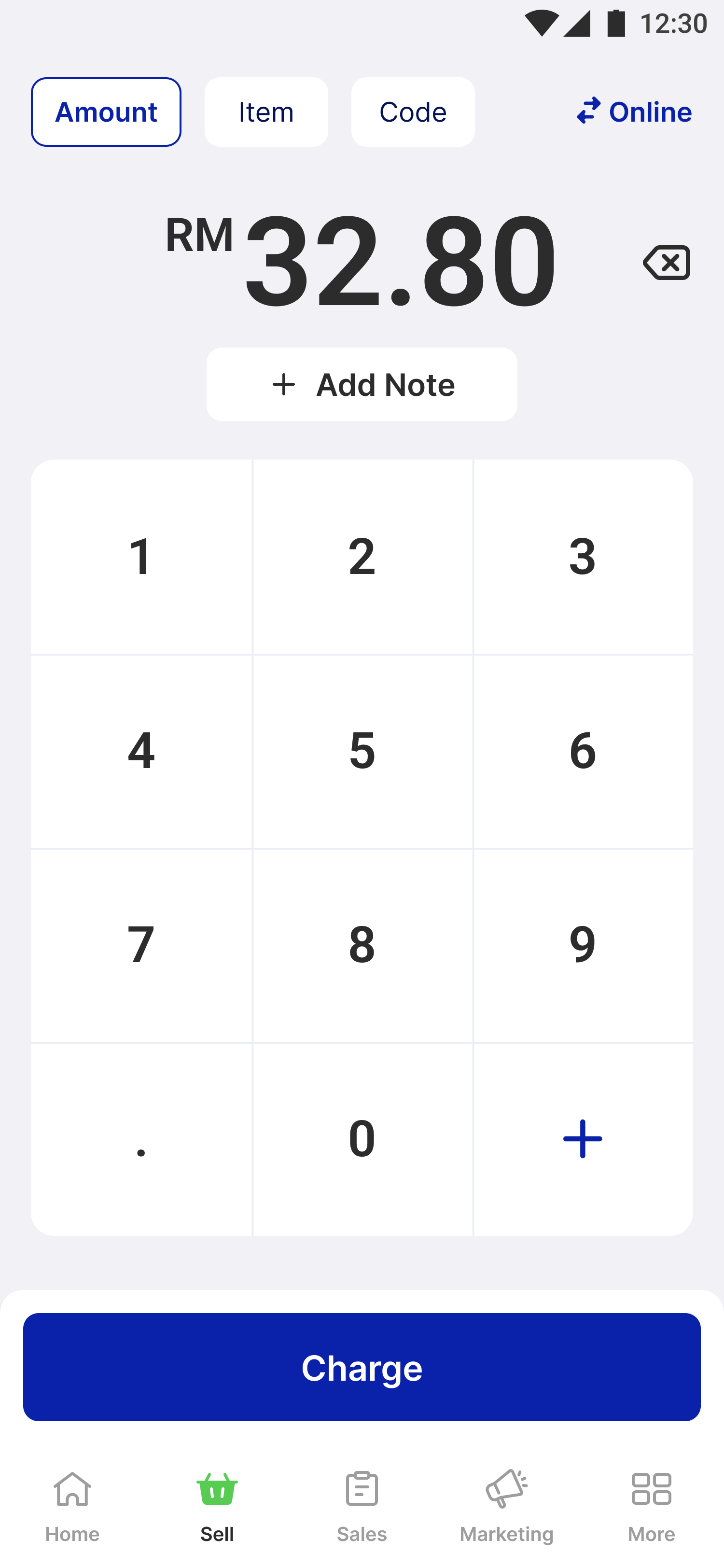
This design was independently created before iOS 18, which later adopted a similar formula view—reinforcing the validity of our approach.
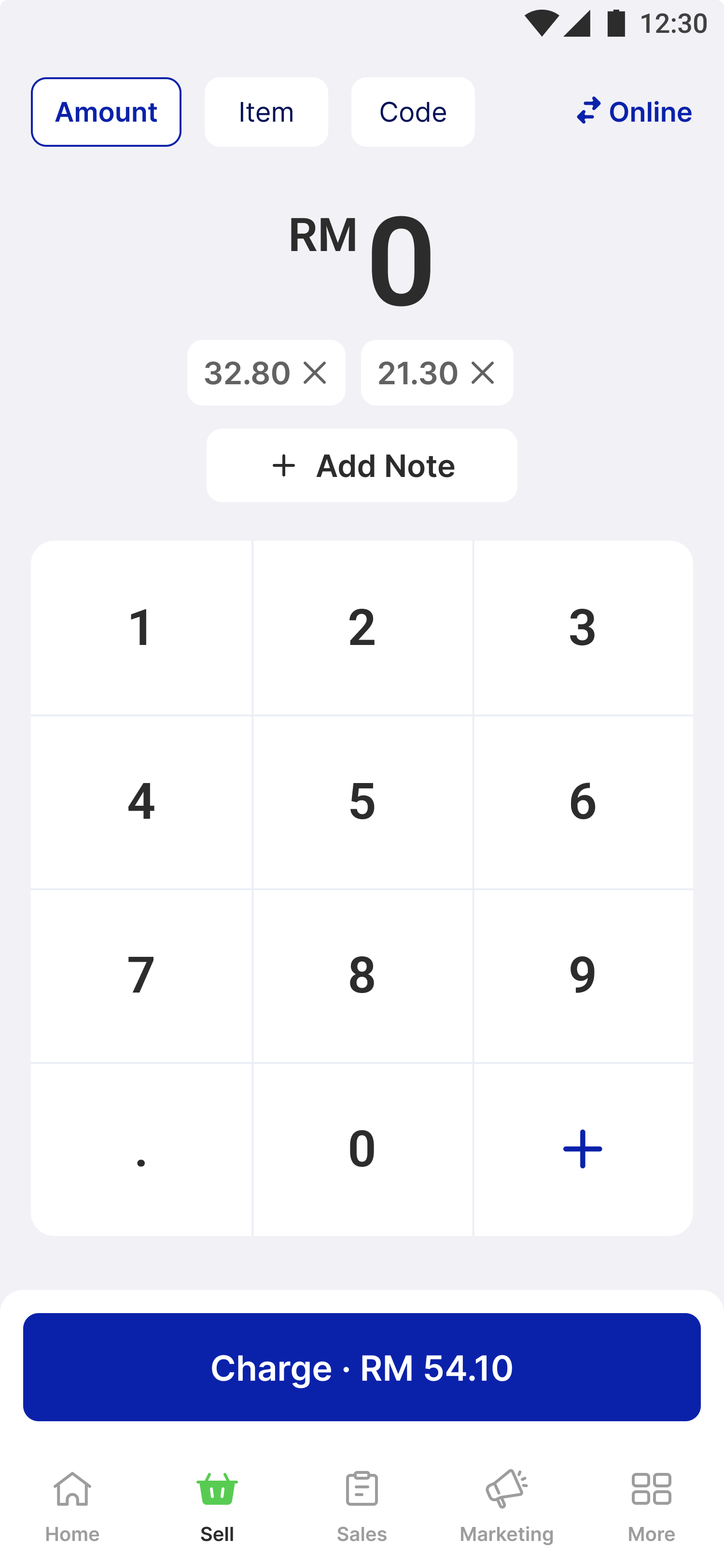
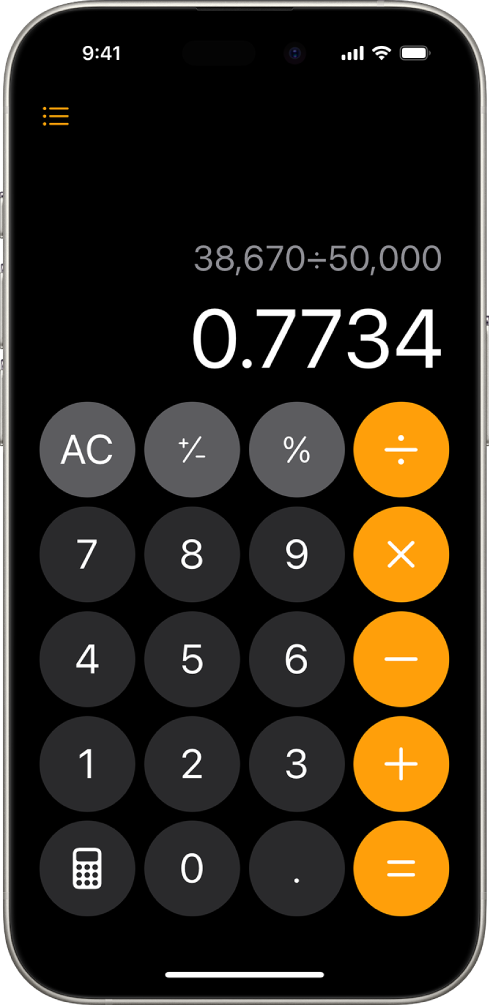
Familiar calculator design with equation formula & removed lines for ease of responsiveness
FINAL DESIGN
People is familiar with this interface with equation formula in the latest update
IOS 18
Design exploration of amount ordering mode on mobile POS
🎉 Final Design & UI Enhancements
The final design includes two new ordering modes:
1
Code ordering mode
1
Allows fast alphanumeric input with real-time confirmation.
2
Open item mode
1
Simplifies manual price input, resembling a basic calculator.
3
Menu ordering mode
1
Allows users to view and review formulas during entry.
These modes are easily accessible through a tabbed interface, ensuring merchants can switch between them based on their operational needs. While Menu Ordering Mode remains available for businesses with extensive menus, our design enhancements focused on introducing new features tailored for small and micro businesses.
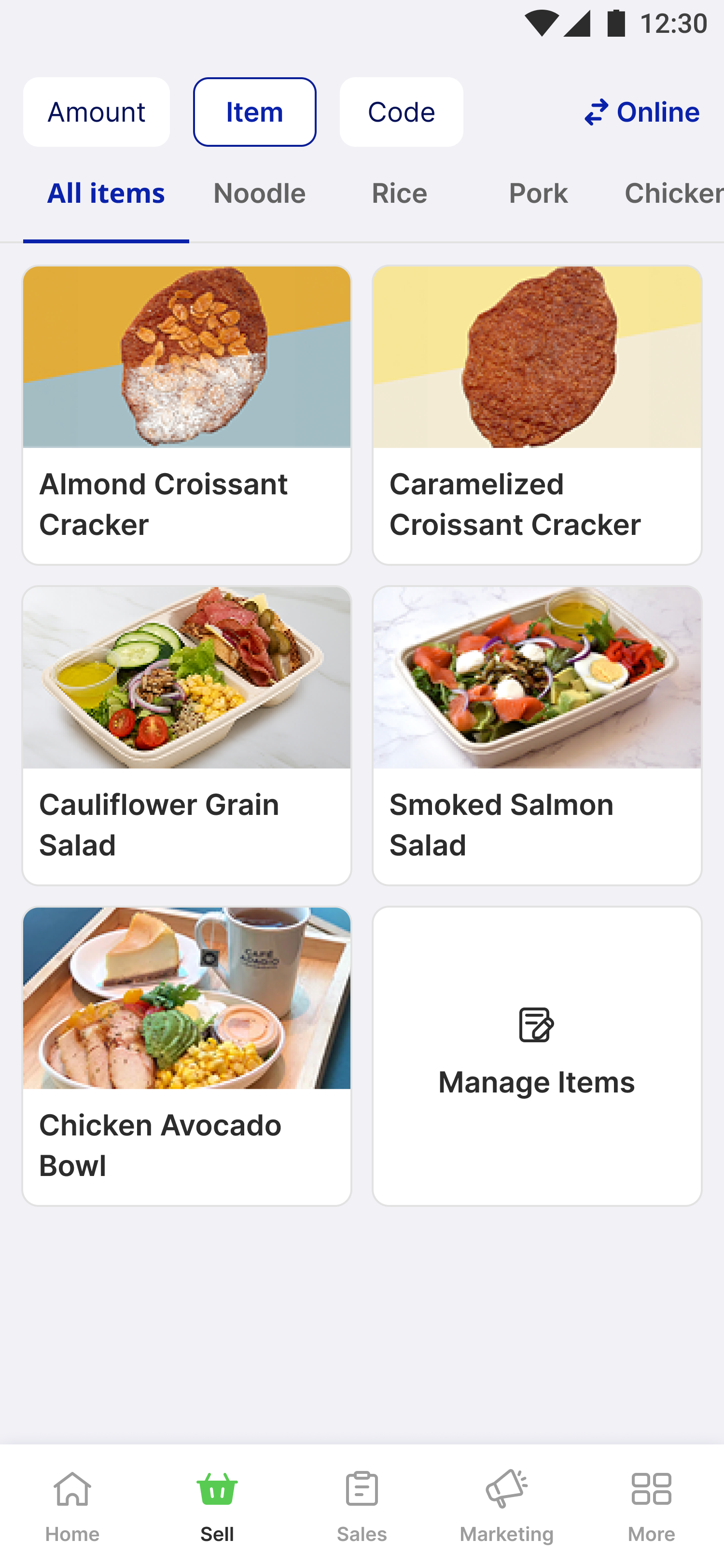
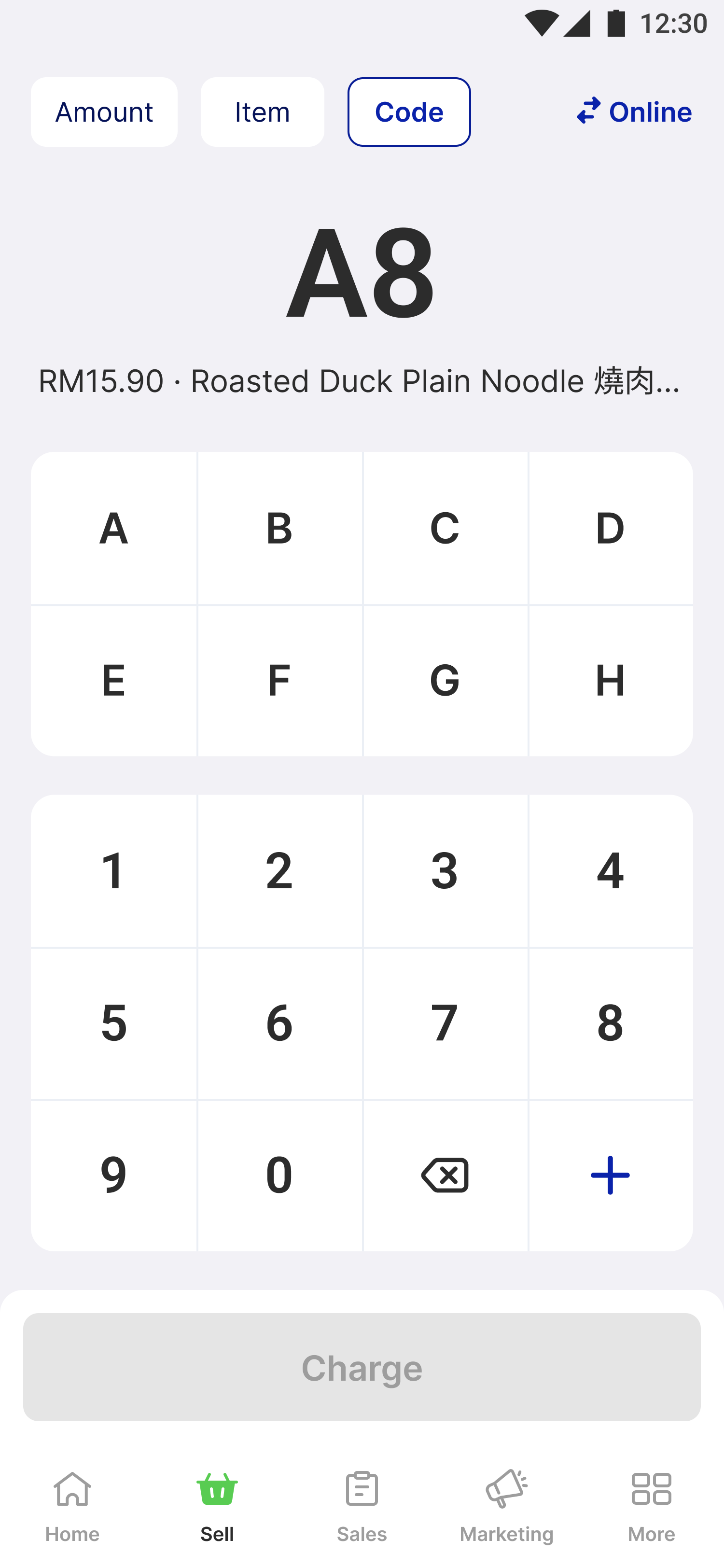
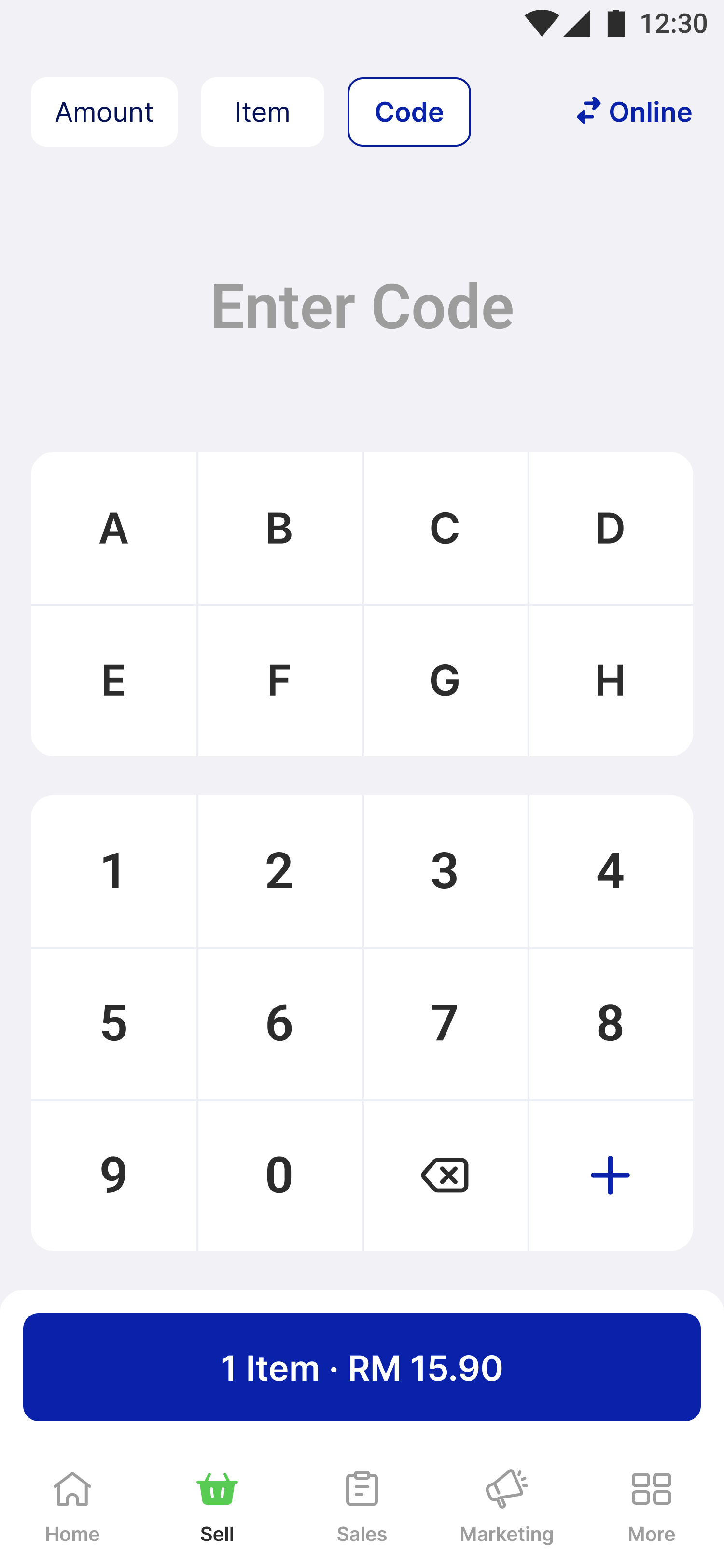
Final design of Mobile POS
Key learnings & takeaways
Contextual flexibility drives adoption by offering multiple ordering modes tailored to real-world workflows. User-centric innovation requires a deep understanding of niche use cases, as seen in the iterative development of code ordering. Consistency in design patterns across modules improves usability and ensures a smoother learning curve for new users. Finally, operational speed is a critical factor for small businesses—prioritizing fast, efficient workflows directly supports their daily operations.
- End, thank you for reading! -